How Mobile Passport Control Works: A Practical CBP Guide
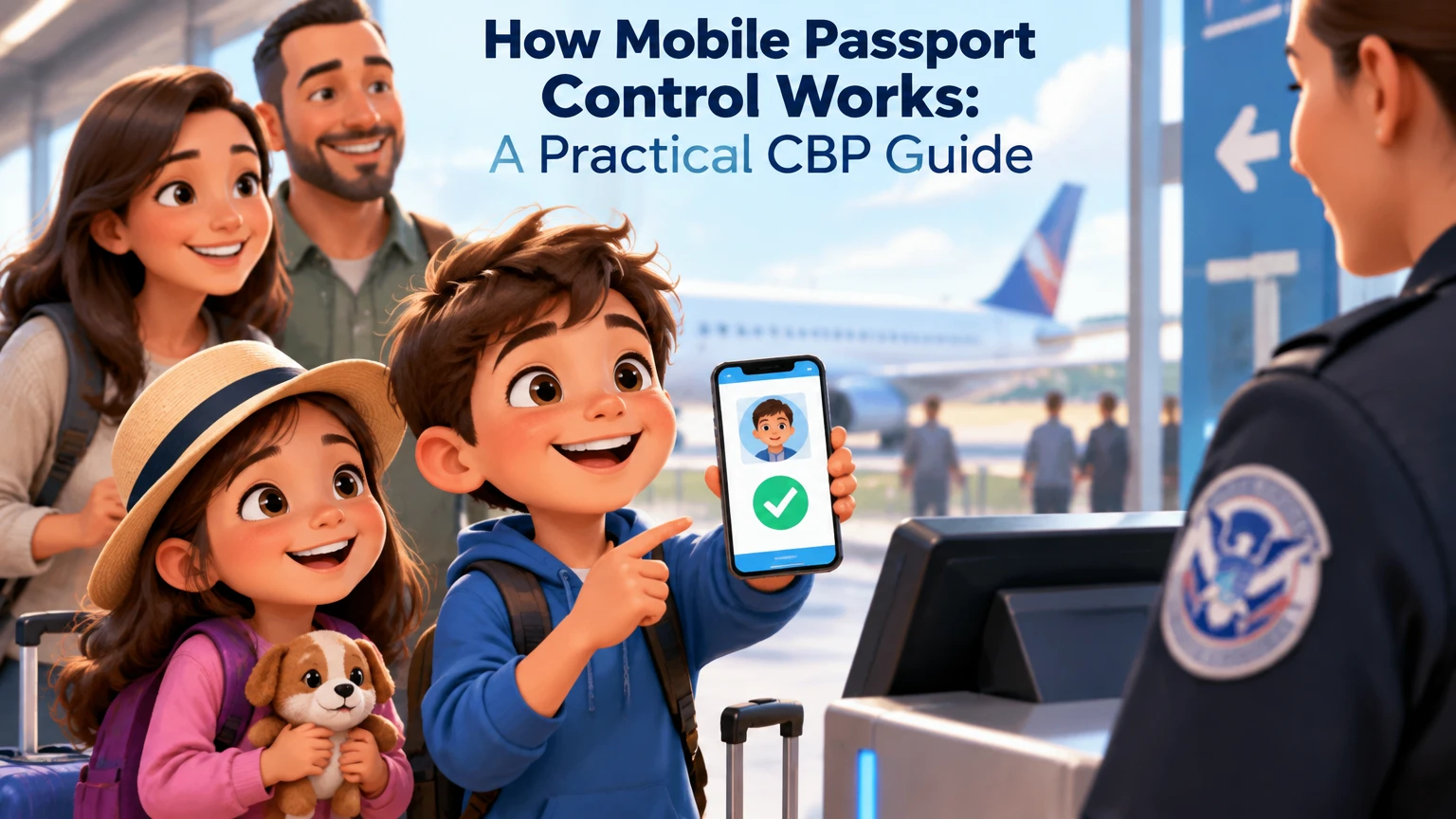
Mobile Passport Control, or MPC, is a free U.S. Customs and Border Protection app that lets eligible travelers submit passport information, a photo, and customs declaration answers before speaking with a CBP officer. After submission, the traveler receives a digital receipt with a QR code, presents it with the physical passport in an MPC lane, and completes the required inspection.
Key Facts at a Glance
- Mobile Passport Control is free and does not require an interview, fingerprint appointment, or membership fee.
- MPC speeds the administrative part of arrival processing, but a CBP officer still decides whether the traveler may enter the United States.
- Travelers must carry and present the physical passport or qualifying travel document used in the app.
- Travelers should normally complete the form before arrival but submit it after landing or reaching the applicable border facility.
- MPC works only at participating airports, cruise ports, and selected pedestrian land crossings.
- A household can generally submit multiple eligible travelers from one device, subject to the app’s current group limits and profile rules.
What Is Mobile Passport Control?
Mobile Passport Control is CBP’s official mobile arrival-processing system for eligible travelers entering the United States. The app replaces much of the paper-form and kiosk data-entry work with a phone-based submission, while the traveler still reports to a CBP officer for identity verification and inspection.
MPC is not a visa, ESTA authorization, passport replacement, trusted-traveler membership, or guarantee of expedited admission. A traveler must already have the nationality, immigration status, or travel authorization required for the trip.
The app’s value is procedural. Travelers enter information in advance, answer customs questions electronically, take a current facial photograph, and present the resulting receipt at a designated lane. CBP then completes the legal inspection.
What does MPC actually save?
MPC primarily saves data-entry and queue time. It does not eliminate baggage collection, agricultural inspection, secondary screening, or questions from a CBP officer.
A traveler may still wait for luggage after using MPC. If an officer refers the traveler to secondary inspection, the MPC receipt does not bypass that referral. The practical benefit is greatest when the regular arrival queue contains many travelers who still need to complete forms or use kiosks.
How Does Mobile Passport Control Work?
Mobile Passport Control works by transferring pre-arrival administrative tasks from a kiosk or paper form to the traveler’s phone. The traveler creates a profile, selects the arrival location, supplies trip details, answers declaration questions, submits a photo, and sends the completed record to CBP.
The app then produces a receipt that identifies the submission. At the port of entry, the traveler joins the MPC queue if directed by airport signage, shows the receipt and physical passport, and answers any questions the officer asks. The officer retains final authority over inspection and admission.
| Stage | Traveler action | CBP function | Result |
|---|---|---|---|
| Profile setup | Enter or scan passport details | Stores the traveler profile in the app | Reusable passport profile |
| Trip form | Select port, entry mode, and flight or crossing details | Associates the submission with an arrival location | Trip-specific record |
| Declaration | Answer customs questions | Receives the traveler’s electronic answers | Digital declaration |
| Photo | Take an in-app photo for each traveler | Uses the submission during inspection | Current identity image |
| Submission | Send the form after arrival or at the instructed time | Processes the electronic record | Mobile receipt and QR code |
| Inspection | Show passport and receipt to CBP | Verifies identity and admissibility | Completed or escalated inspection |
Does MPC let travelers enter without seeing an officer?
No. Mobile Passport Control does not replace the CBP inspection. The traveler must appear in person, present the required travel document, and respond to the officer’s questions.
That distinction matters because a valid QR receipt is only evidence that the traveler submitted information. It is not an approval to enter the United States.
Who Can Use Mobile Passport Control?
MPC eligibility depends on the traveler’s status and the specific port of entry. CBP identifies U.S. citizens, lawful permanent residents, certain Canadian visitors, and qualifying returning Visa Waiver Program travelers among the main eligible groups.
| Traveler category | Typical requirement | Important limitation |
|---|---|---|
| U.S. citizen | Valid U.S. passport | Must enter through a participating location |
| Lawful permanent resident | Valid green card and required travel documents | Port and app support still apply |
| Canadian visitor | Canadian citizenship and temporary B1 or B2 visitor status | Does not cover every Canadian travel purpose |
| Returning VWP traveler | Approved ESTA and prior entry under that authorization | First-time VWP travelers may not qualify under this rule |
| Other foreign national | Depends on CBP rules and immigration category | Do not assume eligibility from nationality alone |
Eligibility rules can change, and the app may display different options according to the selected location. Check CBP’s current Mobile Passport Control page and the app’s supported-location list before relying on MPC for a particular journey.
Can children use MPC?
Eligible children can usually be included in a household submission when they travel with the submitting adult. Each person still needs an accurate profile, a current photograph, and the required travel document.
Do not add a traveler merely because the person is related to you. Eligibility, document type, and declaration answers must be correct for every person in the group. A family member who does not qualify may need to use another inspection process.
Which Locations Support MPC?
MPC operates at participating U.S. international airports, selected preclearance locations, some cruise ports, and selected pedestrian land-border facilities. Support is location-specific, so an airport’s existence in the program does not mean every terminal or arrival flow uses the same lane.
| Environment | Example setting | Information to confirm |
|---|---|---|
| Airport arrival | International terminal at a participating U.S. airport | Airport, terminal, arrival concourse, and lane signage |
| Preclearance | Selected facilities such as Dublin or Nassau | Whether the facility supports the current MPC workflow |
| Cruise arrival | Participating U.S. cruise port | Vessel arrival port and passenger-processing area |
| Land pedestrian entry | Selected pedestrian ports of entry | Pedestrian mode, port name, and current availability |
Airline, terminal, and flight details matter because the app uses the selected arrival information to route the submission. A flight diversion, terminal change, or incorrect port selection can make the receipt unusable for the actual inspection location.
How to Use Mobile Passport Control Step by Step
The normal MPC process takes a few minutes of phone work plus the inspection queue. The most important timing rule is simple: prepare early, but avoid submitting so early that the receipt expires before you reach the officer.
Before You Start
| Requirement | Typical amount or timing | Why it matters |
|---|---|---|
| Official CBP MPC app | One free installation | Prevents use of an unofficial paid imitation |
| Physical passport or qualifying document | One per traveler | The officer still needs the document |
| Charged smartphone | At least 20% battery recommended | The receipt must remain accessible |
| Internet connection | Wi-Fi or cellular service at submission | The app must send the trip form |
| Traveler profiles | One accurate profile per person | Prevents identity and declaration errors |
| Arrival details | Port, terminal, mode, and flight or crossing | Links the submission to the correct facility |
Step 1: Download the Official App
Install the app named Mobile Passport Control and verify that the publisher is U.S. Customs and Border Protection. Avoid applications that imitate the name, charge a subscription for access to the official process, or ask for unnecessary financial information.
Create the profile before the travel day if possible. App interfaces change, but the workflow consistently depends on accurate document data and a current traveler photograph.
Success checkpoint: the app opens as an official CBP application and allows a traveler profile without a membership payment.
Common mistake: downloading a third-party travel app because its search result appears above the official listing.
Step 2: Create Each Traveler’s Profile
Enter the passport information manually or scan the document’s biographical page if the app supports scanning. Check the name, date of birth, passport number, nationality, and expiration date against the physical document.
Add eligible household members who are traveling together. Review each profile separately because a single incorrect digit can create a mismatch at inspection.
Success checkpoint: every profile matches the corresponding passport exactly.
Common mistake: assuming a saved profile remains correct after a passport renewal. A new passport requires updated information.
Step 3: Start the Arrival Submission
Choose the travel mode, such as airplane or pedestrian, then select the arrival port. For an airport entry, enter the airline and flight details requested by the app. For a land crossing, select the correct pedestrian port if that option is available.
Complete this portion before landing when the app permits it. Arrival details can change, so verify the destination against the actual itinerary.
Success checkpoint: the app shows the correct port and travel mode for the intended inspection.
Common mistake: selecting the departure airport instead of the U.S. arrival airport.
Step 4: Answer the Customs Declaration Questions
Answer the customs and immigration questions for every included traveler. Read each question carefully because a family group may not share identical answers.
If the answer changes after submission, tell the CBP officer immediately. Do not assume that an app correction alone replaces a verbal disclosure during inspection.
Success checkpoint: the declaration answers describe what each traveler is actually bringing into the United States.
Common mistake: rushing through agriculture, food, currency, or merchandise questions because the traveler is focused on reaching baggage claim.
Step 5: Take the Required Photos
Use the app to take a current facial photograph for each person in the submission. Follow the app’s framing and lighting instructions, and remove items that obscure the face when appropriate.
A clear photograph reduces avoidable identity questions, although the CBP officer may still compare the traveler with the passport and other records.
Success checkpoint: the app accepts every traveler’s photo and shows the complete group submission.
Common mistake: using an old camera-roll image when the workflow requires a live in-app photo.
Step 6: Submit at the Right Time
Submit after landing and after the phone reconnects to cellular service or airport Wi-Fi, unless the port’s instructions specify another timing rule. Preparing the form early is useful; sending the final submission too early can create an expiration problem.
CBP materials and app instructions should control the current validity period. Air and cruise receipts are commonly treated as short-lived, often around four hours, while land workflows may use different periods. Treat the displayed expiration time as authoritative.
Success checkpoint: the app displays a current receipt and QR code associated with the correct arrival.
Common mistake: submitting while the aircraft is still in the air, then losing time to a gate delay, immigration queue, or baggage wait.
Step 7: Follow MPC Signs and Present Both Items
In the Federal Inspection Service area, look for signs marked Mobile Passport Control. Join that lane only when it is open and applicable to your arrival location.
Show the officer the active receipt on the phone and the physical passport for each traveler. Keep the screen bright and accessible, and do not rely on a screenshot if the app requires a live receipt.
Success checkpoint: the officer can scan or review the receipt and match it to the traveler’s document.
Common mistake: putting the passport in checked luggage or a deep carry-on pocket after disembarkation.
Step 8: Complete the CBP Inspection
Answer the officer’s questions directly and disclose any correction to the electronic declaration. The officer may ask about the trip, residence, purpose of travel, goods, food, agriculture, or previous travel.
After inspection, follow the airport’s baggage, customs, and exit instructions. MPC shortens one part of the process, not every step between the aircraft and the public arrivals hall.
How Long Does MPC Take?
The phone submission generally takes about 5-10 minutes for a prepared traveler, while the officer interaction may be brief when the receipt and documents match. The queue itself varies too widely for a reliable universal average because staffing, arrival banks, and referrals differ by location.
| Time component | Typical planning range | Main variable |
|---|---|---|
| Profile creation | 5-15 minutes | Manual entry versus document scanning |
| Trip form and declarations | 3-8 minutes | Number of travelers and complexity of answers |
| Photo capture | 1-5 minutes | Group size and image retakes |
| MPC queue | 0-30+ minutes | Port staffing and simultaneous arrivals |
| Officer interaction | 1-10 minutes | Questions, document checks, and referral risk |
A short MPC line does not guarantee a short airport exit. Baggage delivery can take longer than the inspection, especially when several international flights arrive together.
How Much Does Mobile Passport Control Cost?
Mobile Passport Control is free. Travelers do not pay an enrollment fee, annual fee, interview charge, or per-use processing charge for the official CBP service.
| Service | Direct government fee | Vetting or interview | TSA PreCheck |
|---|---|---|---|
| Mobile Passport Control | $0 | No membership interview | No |
| Global Entry | Current application fee applies | Background review and interview | Yes, for eligible members |
| Standard inspection | $0 | Normal CBP inspection | No |
| Commercial travel app | Varies by provider | Not a CBP membership | No |
The free official app should not be confused with commercial applications that offer travel organization, alerts, or form assistance. A paid app cannot grant MPC eligibility or guarantee faster CBP processing.
Is MPC Better Than Global Entry?
MPC is better for travelers who want a free, immediate option and do not travel internationally often. Global Entry is generally better for frequent international travelers who can complete the application and vetting process, because membership supports expedited U.S. arrival processing and includes TSA PreCheck eligibility.
| Decision factor | MPC | Global Entry |
|---|---|---|
| Enrollment cost | $0 | Application fee set by CBP |
| Approval process | App setup only | Application, background review, and interview |
| Fingerprints | Not required for MPC enrollment | Collected as part of enrollment procedures |
| Officer contact | Required | Usually still possible, depending on location and process |
| Family use | Eligible household members can submit together | Each traveler needs individual membership for member benefits |
| TSA PreCheck | Not included | Included for eligible members |
| Best use case | Occasional trips and families | Frequent international and domestic travelers |
| Failure point | Unsupported port, expired receipt, dead phone | Membership expiration or traveler not enrolled |
MPC and Global Entry can coexist. A traveler with Global Entry may still use MPC when eligible, but should follow the specific lane and program instructions at the arrival port rather than assuming the programs merge automatically.
Who should choose MPC?
Choose MPC if you travel internationally once or twice a year, need a no-cost option, or travel with eligible family members who would not all benefit from separate trusted-traveler applications.
Who should choose Global Entry?
Choose Global Entry if international arrivals are frequent, TSA PreCheck has meaningful value on domestic departures, and you are willing to complete background vetting and an interview.
What Are MPC’s Main Limitations?
MPC is not useful at every U.S. entry point, and it cannot solve problems that occur after the electronic submission. The traveler still needs a valid document, a working phone, accurate answers, and a participating facility.
The system is also less valuable when the regular queue is already short or when the traveler expects a complex immigration or customs issue. An officer may refer any traveler to secondary inspection regardless of the chosen arrival lane.
What happens if the phone has no signal?
If the app cannot transmit the submission, connect to airport Wi-Fi or restore cellular service before entering the lane. Keep the passport available while resolving the connection problem.
A dead battery creates a similar problem. Charge the phone before landing, carry a power bank where permitted, and avoid closing the app after receiving the receipt until the officer has reviewed it.
What happens if the flight is diverted?
A diversion to a nonparticipating airport can make the original submission irrelevant. Follow the new airport’s CBP instructions and use the standard inspection process if no MPC lane is available.
Do not select a new airport casually while still traveling unless the app and CBP instructions support that change. The arrival port, terminal, and officer workflow must correspond to the actual entry facility.
What if the declaration answer was wrong?
Tell the CBP officer before inspection is complete. Explain the correction clearly and provide any required details about food, goods, currency, or agricultural items.
An electronic mistake is not a reason to conceal the correct answer. The officer can determine the appropriate next step, including inspection or referral.
What if the MPC lane is closed?
Use the lane and routing instructions provided by the port. A participating airport can temporarily redirect MPC users because of staffing, construction, arrival volume, or operational changes.
MPC is an optional processing channel, not a contractual fast lane. A traveler should never ignore an officer’s direction to join another queue.
Is Mobile Passport Control Safe?
The official MPC app is operated by CBP, but travelers should still use normal mobile-security practices. Download it from the official Apple App Store or Google Play listing, check the publisher, install operating-system updates, and avoid entering passport data into unofficial copies.
A phone submission contains sensitive identity and travel information. Use a device lock, avoid leaving the receipt visible in public areas, and delete outdated screenshots or downloaded copies after the trip if they are no longer needed.
The strongest security rule is source verification. Search-store rankings, travel blogs, and advertisements do not establish that an application is official.
Expert Rules That Prevent Most MPC Problems
- Prepare early, submit late. Complete profiles and declarations before landing, but submit when the app has a reliable connection at the arrival location.
- Treat the receipt as location-specific. A valid submission for one airport does not automatically transfer to another airport after a diversion.
- Keep documents in hand, not merely nearby. MPC reduces data entry, but the physical passport remains part of the inspection.
- Plan for the slowest member of the group. One incorrect profile or missing document can delay an entire household submission.
- Do not optimize only for the customs queue. A short MPC line can still be followed by a long wait for baggage or a referral to secondary inspection.
MPC Alternatives by Travel Situation
| Situation | Best starting option | Reason | Main trade-off |
|---|---|---|---|
| One international trip per year | MPC | No fee and immediate setup | Requires a charged phone and participating port |
| Family of four with mixed travel frequency | MPC, if all are eligible | One coordinated household submission | Each profile and photo must be accurate |
| Monthly international business travel | Global Entry | Long-term arrival and TSA PreCheck value | Application and vetting take time |
| Arrival at unsupported airport | Standard CBP lane | MPC is unavailable there | No mobile receipt advantage |
| Traveler with complicated declaration | MPC plus full disclosure | Electronic form can organize answers | Officer may require additional inspection |
| Land pedestrian crossing | MPC if listed by CBP | Avoids some manual form work | Location support is narrower than airport coverage |
Frequently Asked Questions
Can I use MPC on my first trip to the United States?
Eligibility depends on your immigration category, not simply whether you have used the app before. U.S. citizens and lawful permanent residents generally qualify when the location supports MPC, while Visa Waiver Program travelers have additional returning-traveler conditions. Check the current CBP eligibility rules before departure.
Do I need ESTA to use Mobile Passport Control?
ESTA is relevant to Visa Waiver Program travelers, but it is not a universal MPC requirement. U.S. citizens and lawful permanent residents do not use ESTA for their eligibility. A returning VWP traveler generally needs an approved ESTA and prior entry under that authorization.
Can I use MPC if my passport expires soon?
A passport’s validity must satisfy the requirements for the traveler’s nationality, destination, and immigration category. The MPC app cannot cure an invalid or insufficiently valid document. Confirm passport validity rules before travel and use the current passport information in the app.
Does MPC work for international arrivals at every U.S. airport?
No. MPC is available only at participating locations, and the available lane or terminal can change. Confirm the airport, terminal, and arrival method in the current CBP app or official location list rather than relying on an old travel blog.
Can I use MPC after checking a customs declaration item?
Yes, but the electronic declaration must be accurate. If a traveler realizes an answer is incomplete or incorrect, the traveler should disclose the correction to the CBP officer immediately. The officer may ask for more information or conduct a further inspection.
Does MPC guarantee faster entry?
No. MPC can reduce form and kiosk work, but queue length, staffing, arrival volume, document problems, and secondary inspection determine the actual result. The app improves the process when the port supports it, but it does not guarantee a processing time or admission decision.
The Bottom Line
Mobile Passport Control works by moving passport-data entry, photos, and customs declarations onto a free CBP app before the traveler reaches the inspection officer. The traveler still needs the physical passport, a current receipt, a participating arrival location, and an in-person inspection.
For occasional travelers and eligible families, MPC is usually the simplest no-cost way to reduce arrival paperwork. Frequent international travelers should compare it with Global Entry, especially when TSA PreCheck and repeated U.S. arrivals justify the application process. Use How Mobile Passport Control Works as a timing rule: prepare before landing, submit at the right location, and keep the travel document ready for CBP.